The tool is not bad. It is in the wrong place.
The language models behind the chat windows are capable. They summarise documents, translate, rephrase, classify. If little changes in the business all the same, that is down not to the quality of the model but to where it is used. A chat window waits for a person to ask a question, read the answer, copy it and paste it somewhere else. It speeds up the individual step. The work itself stays with the person.
The work that really costs time at mid-sized companies looks different. It consists of many similar tasks: reading and distributing 60 enquiries a day, maintaining 4,000 products in four languages, keeping 80,000 contacts in the CRM clean, matching delivery confirmations against purchase orders every week. This work lives in systems, not in a text box. It follows rules that must be observed. And it piles up even when nobody is at their desk.
A chat window can support one of these tasks. It cannot handle all of them, because it has no access to the systems, does not start by itself and keeps no log. That is why the effect stays at a few minutes saved per person, while the business loses hours every day.
Five reasons why the chat window fizzles out in everyday work
In first calls we hear the same observations again and again. They come down to five causes:
- The data is not there. The model does not know your item numbers, terms and customer history. Anyone using it has to paste in the context themselves every time. That costs time and means confidential data ends up in tools for which nobody has given approval.
- The result lands nowhere. The finished text is in the chat, not in the CRM, not in the PIM, not in the ticket. The last step, transferring it, remains manual work and is often the most error-prone.
- It is always about one case. A person can improve ten product texts a day in a chat window. Rewriting 2,000 texts according to the same rules is not what it is designed for.
- Nobody checks systematically. Whether the answer is right is decided by the person in front of the screen, by feel. There are no defined checks, no sample, no log from which you could later see what was changed.
- It only runs while someone sits in front of it. At night, at weekends and during holidays nothing happens. The work piles up as before.
None of these points is the employees' fault. The chat window is built for working together with a person. Recurring work at volume needs a different design.
What a workflow does differently
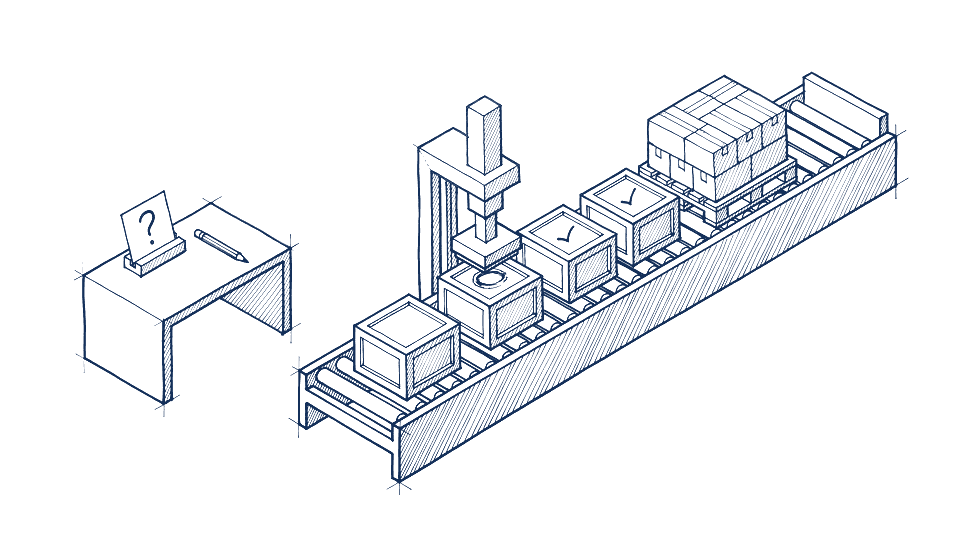
By workflow we mean a permanently established route for the work in which a language model takes on a clearly defined task: it reads, classifies, writes or compares. Before and after it there are rules, checks and a connection to your systems. The workflow starts by itself when an email arrives, a record changes or a set time is reached. It writes the result where it is needed and only puts in front of a person what the rules cannot clearly decide.
The difference comes down to seven characteristics:
| Characteristic | Chat window | Workflow |
|---|---|---|
| Trigger | A person asks a question | An event in the system: new email, changed record, set time |
| Volume | One task after another | Hundreds to millions of tasks according to the same rules |
| Data | Whatever the user pastes in | Directly from CRM, ERP, PIM or mailbox, with defined permissions |
| Result | Text in the chat history | A field in the system, a record in the CRM, a draft in the mailbox |
| Checking | By the person's feel | Fixed checks, unclear cases go to a person |
| Traceability | Chat history, if it is saved | Log per task: what was read, decided, written |
| Working hours | As long as someone sits in front of it | Around the clock, report in the morning |
An example from our work shows what this means in concrete terms. At a dealer in industrial spare parts, 2,226 manufacturer pages had identical text apart from the company name. With a chat window, someone would have had to trigger, check and enter each text individually. Today a workflow produces a separate text for each manufacturer, with the actual product range as its fact anchor. Eleven quality checks run before every go-live, for example for wrong characters, overly long meta texts and invented figures. If a check fails, nothing is published. Ten manufacturer pages go live each week, overnight, sorted by search demand, and a report arrives on Friday.
What the chat window is still right for
We do not advise anyone to cancel the licences. A chat window is the right tool for work that is one-off, needs a lot of judgement, or where the person reads every sentence anyway:
- Drafts for individual texts, presentations or statements
- Research and summaries, when the person checks the result themselves
- Getting to grips with a new topic, explanations, proofreading
- Trying out what a model can do with your content before you have a workflow built
The last point is the most important. Employees who have worked with a chat window for a year know what language models do well and where they go wrong. They are the best partners when it comes to defining rules for a workflow. Since February 2025, Article 4 of the EU AI Act, Regulation (EU) 2024/1689, has also required companies that use AI systems to ensure their staff have sufficient AI literacy. Working with the chat window is a good basis for this. How far this obligation extends in your company is something to clarify with your legal advisers. This article is not legal advice.
How to recognise a workflow that suits AI
Not every recurring task is a case for a language model. Some things are better solved with conventional automation, and some do not justify a rebuild because they occur too rarely. Work where an AI workflow plays to its strengths usually has four characteristics:
- It comes in volume. Daily, weekly or as a large existing dataset that has to be processed completely once.
- It consists of language or documents. Emails, data sheets, enquiries, free-text fields. Wherever a person used to have to read in order to understand.
- It follows rules that can be written down. If two experienced colleagues would usually decide the same cases the same way, a workflow can too.
- The result can be checked. By a rule, a sample or a comparison with existing data.
How we weight these characteristics in an analysis and which workflows end up in the "does not pay off" column is described in detail in the article Which workflows pay off with AI.
Five questions about your own use of AI
With these questions you can assess for yourself in half an hour whether your use of AI so far is a chat window or already a workflow. The more often you answer no, the more potential is still untapped in the business.
- Is there a task that the AI handles without an employee triggering it?
- Does the AI write its result directly into one of your systems instead of leaving it in a chat?
- Can you say how many tasks the AI processed last month and how many of them a person had to correct?
- Are there written rules on what the AI may decide and what it must put before a person?
- For each use case, do you know which data leaves your company and on what contractual basis?
The last question is often underestimated. Anyone who copies customer data into a freely accessible chat window usually has no data processing agreement with the provider. In a workflow, by contrast, the operating mode is defined for each task: open models on your own servers, EU data centres or cloud models under contract. Which option suits which data is explained in the article On your own servers, in Europe or in the cloud.
What the route from chat window to workflow looks like
The switch does not begin with a new tool but with a look at the work. This sequence has proved its worth:
- Collect work, not ideas. Ask the people who do the work what they spend most time on and what they would most like to hand over. The best candidates rarely come from management; they come from clerical staff.
- Choose one workflow, not five. The first workflow should occur frequently, be clearly measurable and not involve the company's most sensitive data. It builds the trust for the next ones.
- Rules before technology. Before anything is built, you settle what the workflow may do, what it puts forward and how to recognise a good result.
- Run it in parallel. The new workflow works alongside the old route for a few weeks. Only when the figures are right does it take over.
- Plan for operation. Models change, systems receive updates, rules are tightened. A workflow needs someone to keep an eye on it.
Such a workflow can be a shared mailbox from which every enquiry is read, classified by market and country and handed over to the right sales team in the CRM. That is how it works at a technology distributor across twelve European locations. It can be a text inventory checked against new rules, as at a fuel cell manufacturer with ten domains and EU Directive 2024/825. Or it can be dozens of small workflows, as in our own operations: work sessions are automatically recorded as tasks, emails are read and put forward with a draft reply, customer systems are checked at night, and only deviations are reported. How this is set up and what went wrong at first is shown in the case study on our own operations. What comes first in your company follows from the work, not from the catalogue. You will find an overview of the areas in which we build such workflows on the Services page.
What this means for you
If your use of AI has so far consisted of chat windows, you have done nothing wrong. Your employees now know the strengths and weaknesses of the models, and that is exactly the knowledge you need for the next step. The lever is not more licences or better prompts, but rebuilding a recurring workflow in your systems so that it runs without being triggered, according to rules and with a log. Start with one question: which work in your company comes in volume, consists of language and follows rules?
Your next step: answer ten questions about your systems, volumes and data in the potential check. In less than three minutes you will see in which areas an AI workflow is most likely to pay off in your business.
Further reading
- AI potential analysis: which workflows pay off with AI, and which do not
- What an AI project costs a mid-sized company: analysis, build, operation, model costs
- Case study: tasks, email, calls and nightly checks in our own operations
- The four services at a glance
- Industries: the five workflows that pay off in each industry